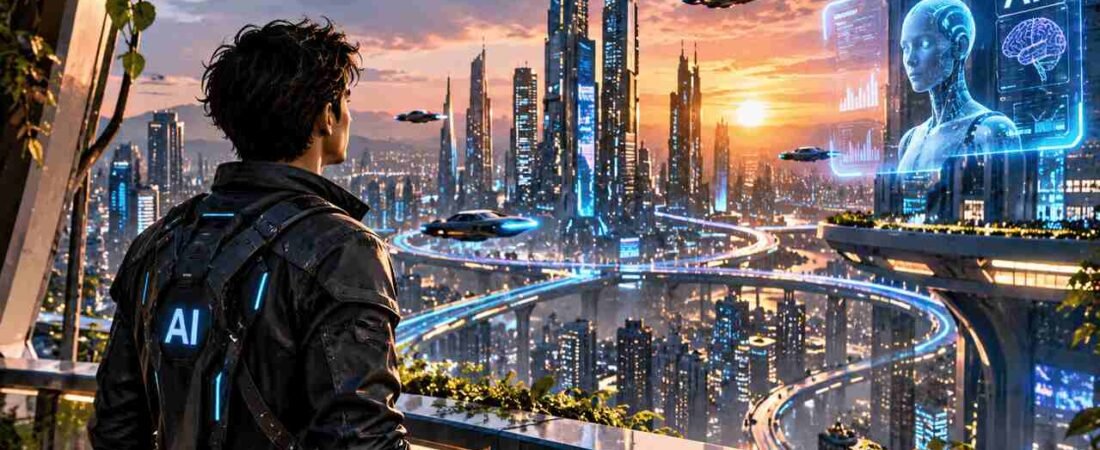
Artificial Intelligence is changing the way people create content. From generating realistic videos and images to writing scripts, editing videos, and automating repetitive tasks, AI tools are making content creation faster and more accessible than ever before.
You no longer need an expensive production setup, a large creative team, or advanced technical knowledge to start creating professional-looking content. With the right AI tools and a little creativity, even beginners can turn their ideas into engaging digital content.
Whether you are a YouTuber, social media creator, freelancer, business owner, or someone exploring artificial intelligence for the first time, learning how to use AI can open up exciting opportunities.
In this guide, we will explore how AI tools work, which types of tools are useful for content creation, how to build an AI-powered workflow, and how you can get better results without wasting time or money.
1. What Is AI Content Creation?
AI content creation is the process of using artificial intelligence tools to generate, improve, or assist with digital content.
These tools can understand instructions, generate text, create images, produce videos, generate voices, and even help automate different parts of a creative workflow.
For example, imagine you want to create a YouTube video about a new technology product.
Instead of doing everything manually, you can use AI to:
- Research the topic and generate video ideas.
- Create a complete video script.
- Generate images and visual concepts.
- Turn text prompts into AI-generated video clips.
- Create voiceovers using AI voice tools.
- Generate thumbnails and supporting graphics.
- Improve your video title and description.
The important thing to understand is that AI is not necessarily a replacement for creativity. It is a tool that helps you bring your creative ideas to life more efficiently.
2. Best Types of AI Tools for Content Creators
There are hundreds of AI tools available today. Instead of trying every new platform, it is better to understand which categories are useful for your specific goals.
AI Writing and Script Generation Tools
Writing is one of the most time-consuming parts of content creation. AI writing assistants can help you brainstorm ideas, create outlines, write video scripts, generate blog posts, and improve existing content.
For example, ChatGPT can help you:
- Generate YouTube video ideas.
- Write engaging video introductions.
- Create structured scripts.
- Generate SEO-friendly blog outlines.
- Rewrite content in different tones and languages.
- Develop storytelling concepts.
However, you should always review AI-generated content and add your own experience, opinions, examples, and personality. This makes your content more authentic and useful to your audience.
AI Image Generation Tools
Visual content plays an important role in digital marketing and social media.
AI image generators allow creators to turn written descriptions into images. You can use them to create thumbnails, concept art, product visuals, backgrounds, characters, and illustrations.
Some popular platforms include:
- ChatGPT image generation
- Google image generation tools
- Adobe Firefly
- Midjourney
For example, you can describe a cinematic scene, specify the lighting, camera angle, environment, and visual style, and use an image generation tool to create a visual concept. The more specific your prompt, the better control you generally have over the result.
AI Video Generation Tools
AI video generation is one of the most exciting areas of artificial intelligence.
These tools can generate video clips from text prompts, images, or other visual references.
Platforms such as Google Veo, Runway, and other AI video generators are helping creators experiment with cinematic visuals, product advertisements, storytelling, and short-form content.
You can use AI video generation for:
- YouTube Shorts.
- Cinematic storytelling.
- Product advertisements.
- Social media videos.
- Educational explainers.
- Creative video experiments.
One important tip: Do not expect one prompt to produce an entire professional video.
For better results, divide your story into smaller scenes, define your characters and locations, and maintain visual consistency between clips.
AI Voice and Audio Tools
Audio quality can make a significant difference in your videos.
AI voice generation tools can convert written scripts into natural-sounding speech. Some platforms also offer multilingual voices, voice customization, and dubbing features.
These tools can be useful for educational videos, explainers, advertisements, and content in multiple languages.
However, always use voices and voice references that you have permission to use.
AI Automation Tools
Automation can help creators reduce repetitive work. For example, you can build workflows that organize content ideas, manage tasks, process information, and connect different applications. AI-powered automation is especially useful when you are managing multiple social media platforms or publishing content regularly.
Instead of manually repeating the same tasks, you can create a workflow that handles suitable repetitive steps.
3. How to Create Content Using AI: A Step-by-Step Workflow
Having access to AI tools is only the beginning. The real advantage comes from knowing how to combine them. Here is a simple workflow that beginners can follow.
Step 1: Start With a Clear Idea
Before opening any AI tool, decide what you want to create.
Ask yourself:
- Who is my target audience?
- What problem will my content solve?
- What should viewers learn or experience?
- Which platform will I publish on?
A clear objective makes the entire process easier.
Step 2: Research and Write Your Script
Use an AI writing assistant to research your topic and create a structured outline. Ask it to generate an introduction, main sections, examples, and a conclusion. Do not simply copy the first result. Add personal insights, verify important facts, and make the writing sound natural.
Step 3: Create Your Visuals
Once your script is ready, identify the visuals required for each section. You can generate images, illustrations, product concepts, or cinematic scenes using AI image tools. For video projects, create a scene-by-scene plan before generating clips. This helps maintain consistency and reduces unnecessary generations.
Step 4: Generate Your Video
Use an AI video generator to turn your ideas and visual references into video clips.
Write detailed prompts that explain:
- The main subject.
- Environment and background.
- Camera movement.
- Lighting and atmosphere.
- Character appearance.
- Action taking place in the scene.
For longer videos, generate multiple clips and combine them using a video editor.
Step 5: Add Voiceovers and Sound
Generate or record your narration, add suitable background music, and include sound effects where necessary. Make sure the audio is clear and balanced.
Step 6: Edit and Publish
Finally, combine your clips, voiceovers, graphics, and transitions. Create an engaging thumbnail, write a descriptive title, and optimize your video description. Before publishing, review the complete video to check for visual inconsistencies, incorrect information, audio problems, and editing mistakes.
4. How YouTubers Can Use AI to Grow Their Channels
AI can support almost every stage of the YouTube content creation process. Here are some practical applications.
Finding Video Ideas: Use AI to brainstorm topics based on your niche, audience interests, and frequently asked questions.
Writing Better Scripts: Generate outlines, introductions, storytelling structures, and explanations.
Creating Thumbnails: Experiment with different visual concepts, compositions, backgrounds, and text placements.
Generating Shorts: Convert longer topics into short educational or entertaining video ideas.
Improving SEO: Use AI to brainstorm relevant titles, descriptions, keywords, and content structures.
Creating AI Movies: Experiment with character design, location references, scene planning, and AI-generated video clips.
However, remember that AI-generated content alone does not guarantee YouTube growth. Your content still needs to provide value, entertain viewers, maintain originality, and give people a reason to watch.
5. Common Mistakes Beginners Should Avoid
Many beginners try multiple AI platforms without understanding what they actually need. This often results in wasted time, unnecessary subscriptions, and confusing workflows. Here are some mistakes worth avoiding.
Using Too Many Tools
You do not need ten different AI subscriptions to start creating content. Choose a small set of tools that solve your actual problems.
Writing Weak Prompts
A vague prompt usually produces a generic result. Instead of writing something like “Create a cinematic video,” describe the subject, environment, lighting, camera angle, movement, and visual atmosphere.
Expecting Perfect Results Every Time
AI tools are not perfect. Sometimes they generate incorrect details, inconsistent characters, unnatural movements, or unexpected results. Learn to review, refine, and regenerate when necessary.
Ignoring Human Creativity
AI can generate content, but your experience, storytelling, judgment, and creative direction make the final result valuable. Use AI as an assistant rather than depending on it for every decision.
Following Every New AI Trend
New AI tools launch regularly. You do not need to learn every platform. Focus on tools that help you achieve your specific goals.
6. Are AI Tools Suitable for Beginners?
Absolutely.
Many modern AI platforms are designed with simple interfaces that allow users to start without programming knowledge. You can begin by learning basic prompting, experimenting with AI writing assistants, generating images, and gradually exploring video generation and automation.
The best approach is to learn one skill at a time.
For example, if your goal is to create YouTube videos, start with AI-assisted research and scripting. Once you understand that process, move towards image generation, video generation, voiceovers, and editing. You will learn much faster by building actual projects instead of simply watching tutorials all day.
7. How to Choose the Right AI Tools for Your Goals
Before paying for any AI subscription, consider a few important factors.
Your Main Requirement: Are you creating videos, images, scripts, advertisements, or automations?
Ease of Use: Choose a platform that matches your technical experience.
Output Quality: Test whether the generated results meet your expectations.
Pricing: Compare free plans, subscription costs, generation limits, and usage restrictions.
Workflow Compatibility: Check whether the tool works well with the other applications you already use.
Do not select a tool just because it is trending. Choose it because it solves a real problem in your workflow.
8. Want Personal Help Learning AI? Book a 1-on-1 Consultation With Imran
Learning AI through online tutorials is a great starting point, but sometimes you need personal guidance.
You might have questions about which AI video generator to use, how to write better prompts, how to maintain consistent characters, or how to build a complete AI content creation workflow. This is where a personal consultation can help.
At ImranX AI, I offer one-on-one AI consultation for beginners, YouTubers, content creators, freelancers, and people interested in exploring artificial intelligence. During a session, you can discuss topics such as:
- Choosing the right AI tools for your goals.
- AI video generation using platforms such as Google Veo and other generators.
- Writing effective prompts.
- Creating AI images, avatars, and voiceovers.
- Building AI-powered YouTube workflows.
- Understanding AI automation and productivity tools.
- Planning your own AI content creation projects.
The goal is to help you understand what you need, avoid unnecessary confusion, and move forward with a clearer plan. You do not need to be an AI expert to get started. Just bring your questions and tell me what you want to achieve.
Ready to explore AI with personal guidance?
Book Your 1-on-1 AI Consultation
What are AI tools for content creation?
AI tools for content creation are software applications that use artificial intelligence to help users create text, images, videos, voiceovers, music, and other digital content. They make content creation faster and easier, even for beginners.
Which are the best AI tools for content creation in 2026?
The best tools depend on your needs. ChatGPT is useful for writing and brainstorming, Canva AI for designs, and AI video generation platforms like Google Flow and other video tools for creating videos. Choose tools based on your content goals and budget.
Can beginners use AI tools without technical knowledge?
Yes! Most modern AI tools are designed for beginners. You can create content using simple text prompts without needing coding, professional editing, or advanced technical skills.
Can I create YouTube videos using AI tools?
AI tools can help you create content more efficiently by generating ideas, improving scripts, designing thumbnails, and optimizing titles and descriptions. However, channel growth still depends on content quality, audience interest, consistency, and viewer engagement.
Do I need multiple AI tools for content creation?
Not necessarily. Beginners can start with one or two tools and gradually add more as their requirements grow. A simple workflow with the right tools is often more effective than using too many platforms.
Is AI-generated content good for SEO?
AI-generated content can support SEO when it is useful, original, accurate, and written for people. Simply publishing generic AI-generated text without adding value may not perform well. Always review, fact-check, and improve your content before publishing.
Conclusion
Artificial Intelligence is creating new opportunities for creators, businesses, freelancers, and beginners.From writing scripts and generating images to producing videos and automating repetitive tasks, AI tools can make many parts of content creation easier.But remember, success does not come from collecting the largest number of AI tools. It comes from understanding how to use the right tools effectively.
Start with a clear goal, learn one workflow at a time, experiment with different platforms, and keep improving your creative skills. Most importantly, do not be afraid to experiment. Your next great content idea might be just one well-written prompt away.
Explore more AI tools, tutorials, and creative workflows with ImranX.